Winbrook
Overview
Design and front-end development for Winbrook reporting and sales management platform.
Services
Product, UX, UI, Development, Design, Strategy
Winbrook
Design and front-end development for Winbrook reporting and sales management platform.
Product, UX, UI, Development, Design, Strategy
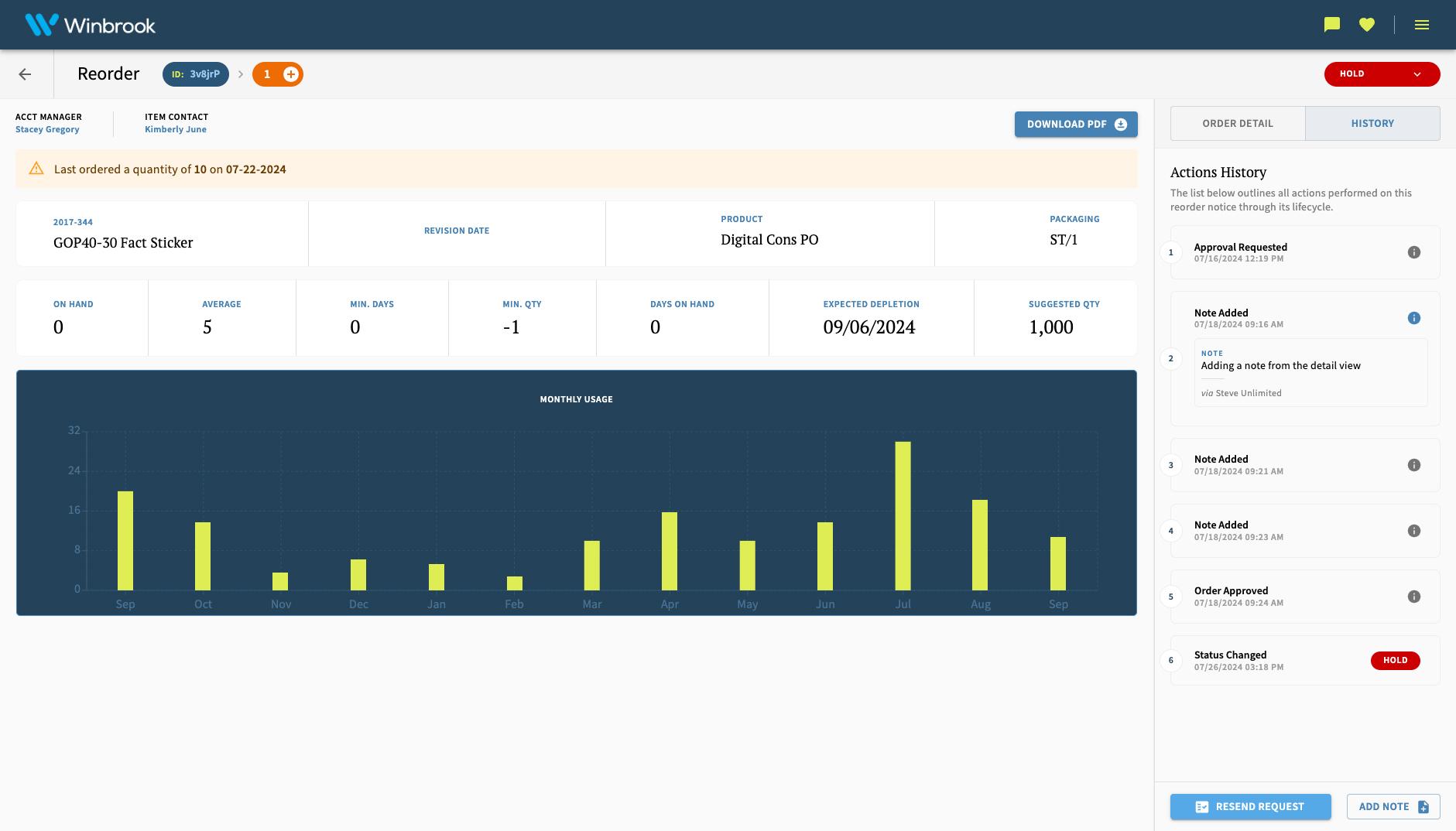
Reporting, Operations and Sales Management Platform
We lead the redesign and modernization of a real-time reporting and operations platform supporting the company’s print-based promotions business. The system enabled internal teams to manage warehouse operations, inventory, ordering, financial reporting, assets, customers, users, and external client-facing reports—replacing fragmented legacy workflows with a unified, real-time experience.
Services included product strategy and design, UX/UI, and front-end development.
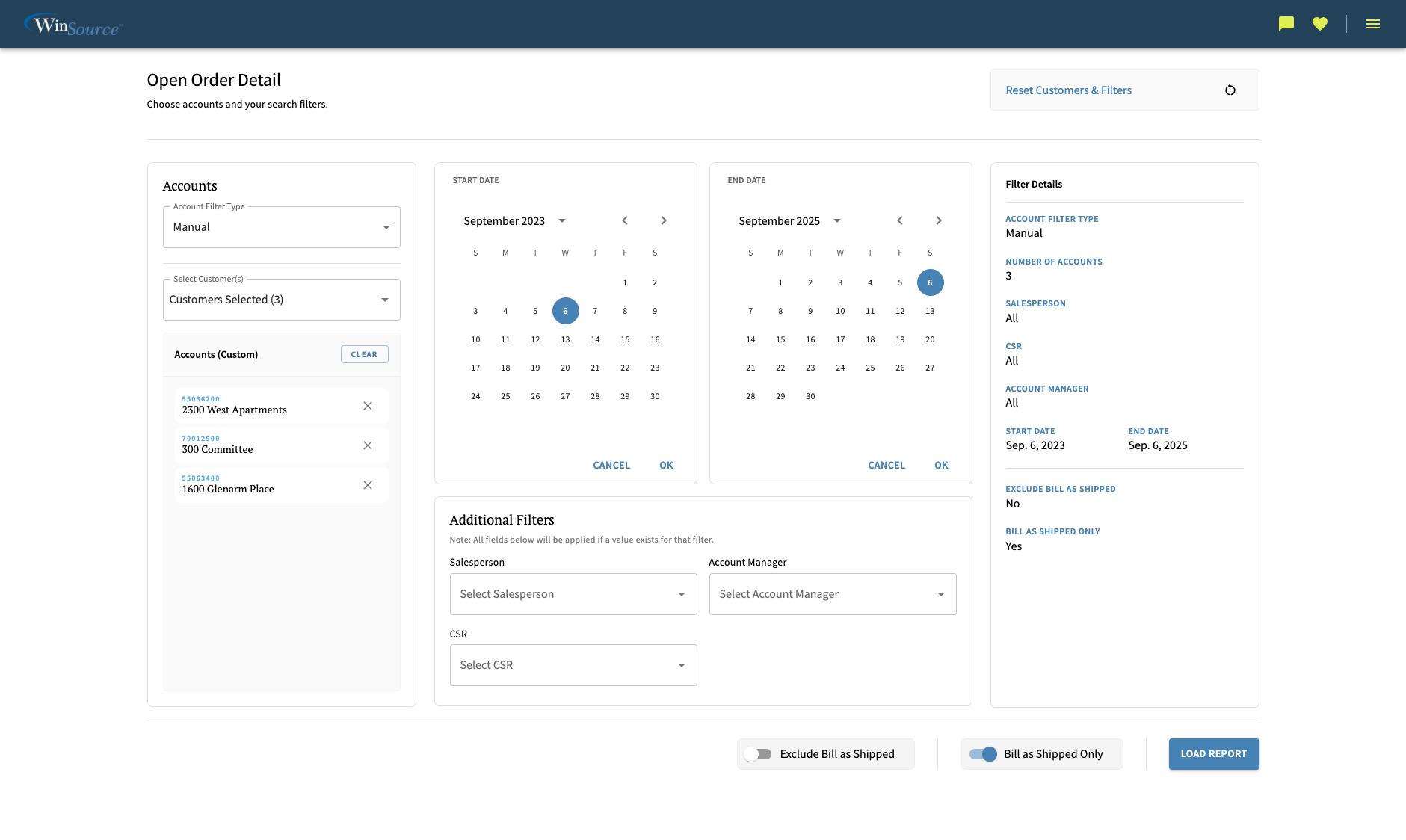
Filter View - Management tool for viewing sales reports internally
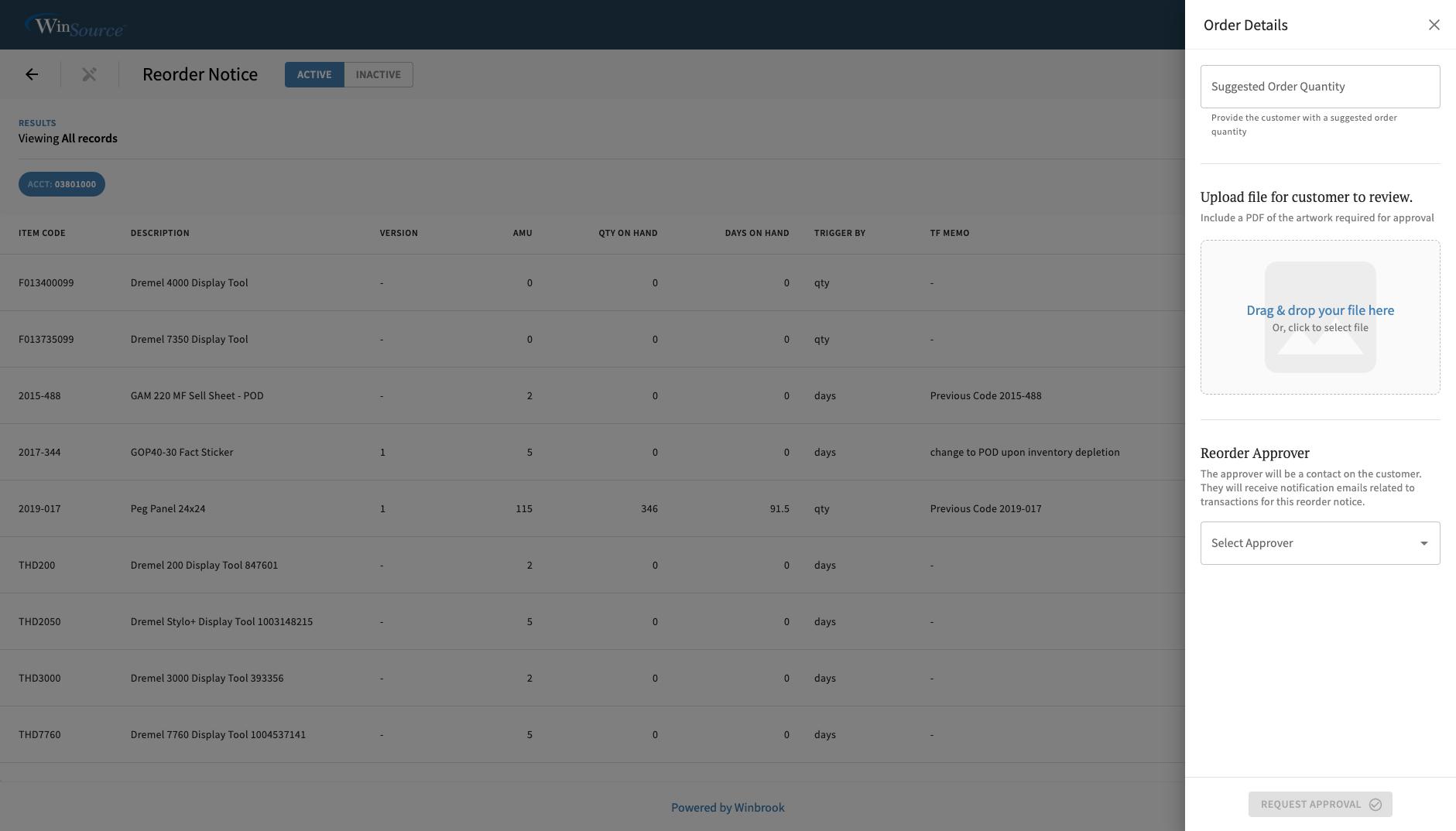
UX/UI Pattern - Action Sidebar for editing secondary details. Order details pictured here.
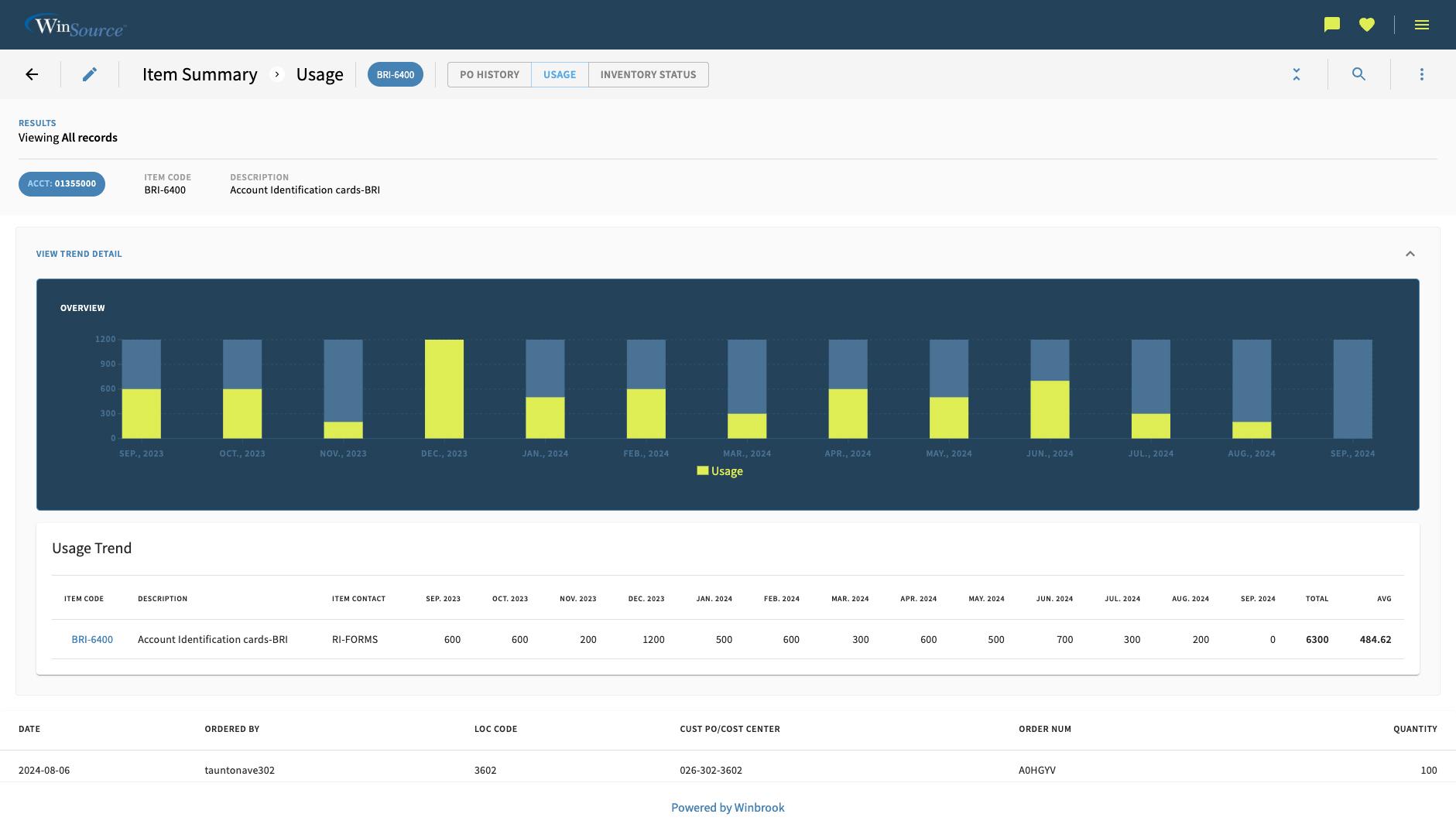
Item Summary Report - Multiple view report with complex data tables and nested row data (chart)
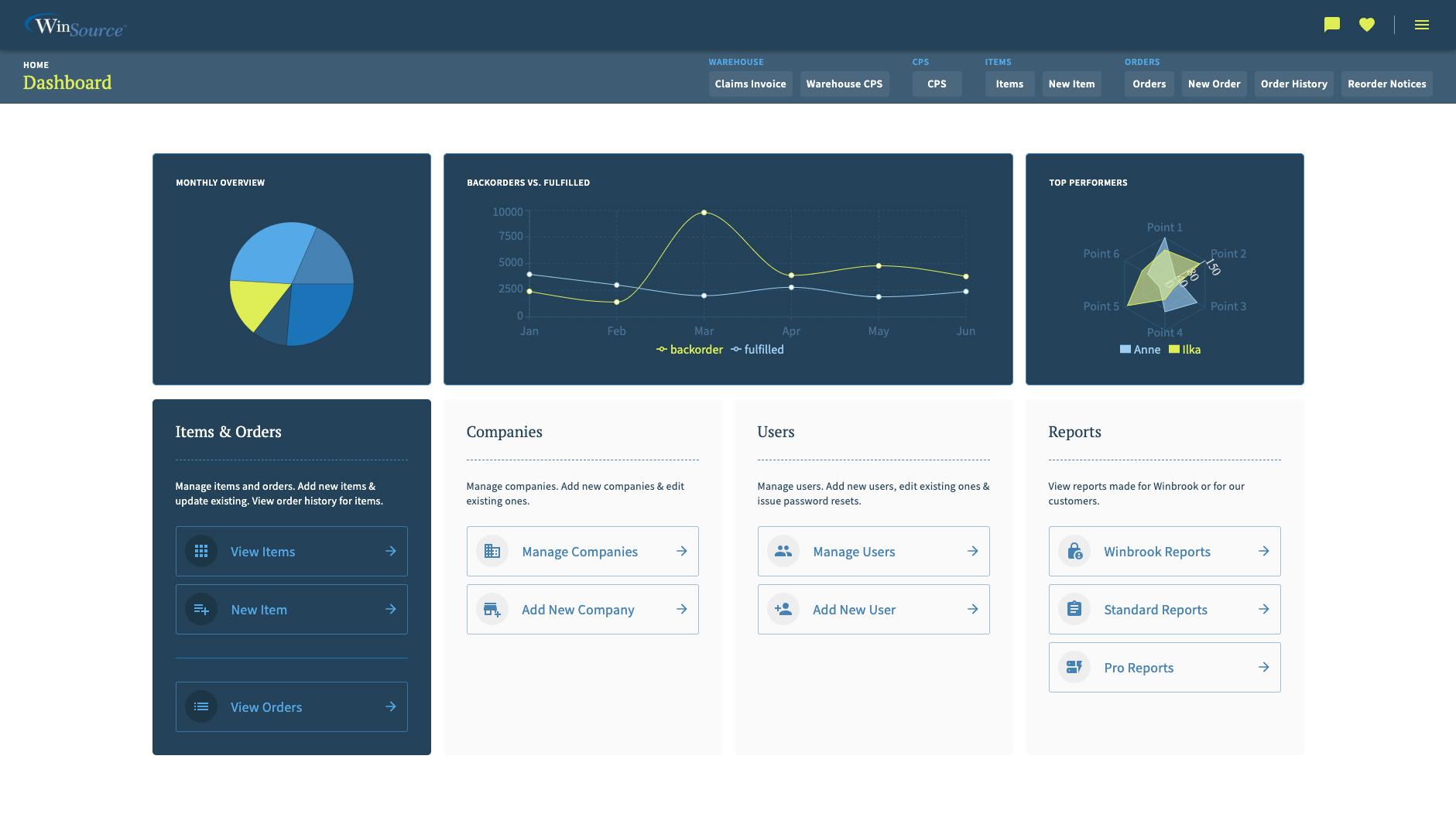
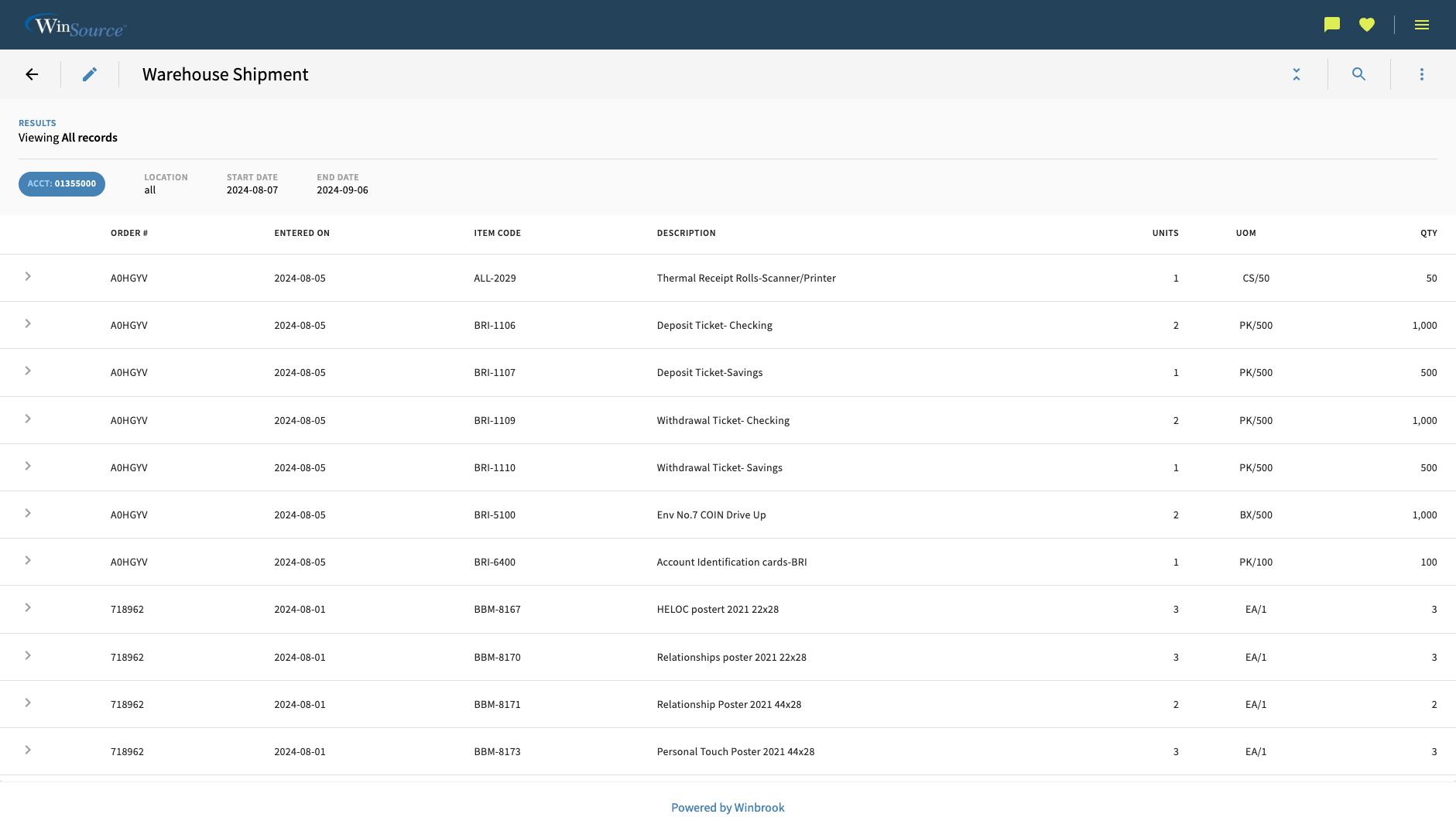
Report data table view
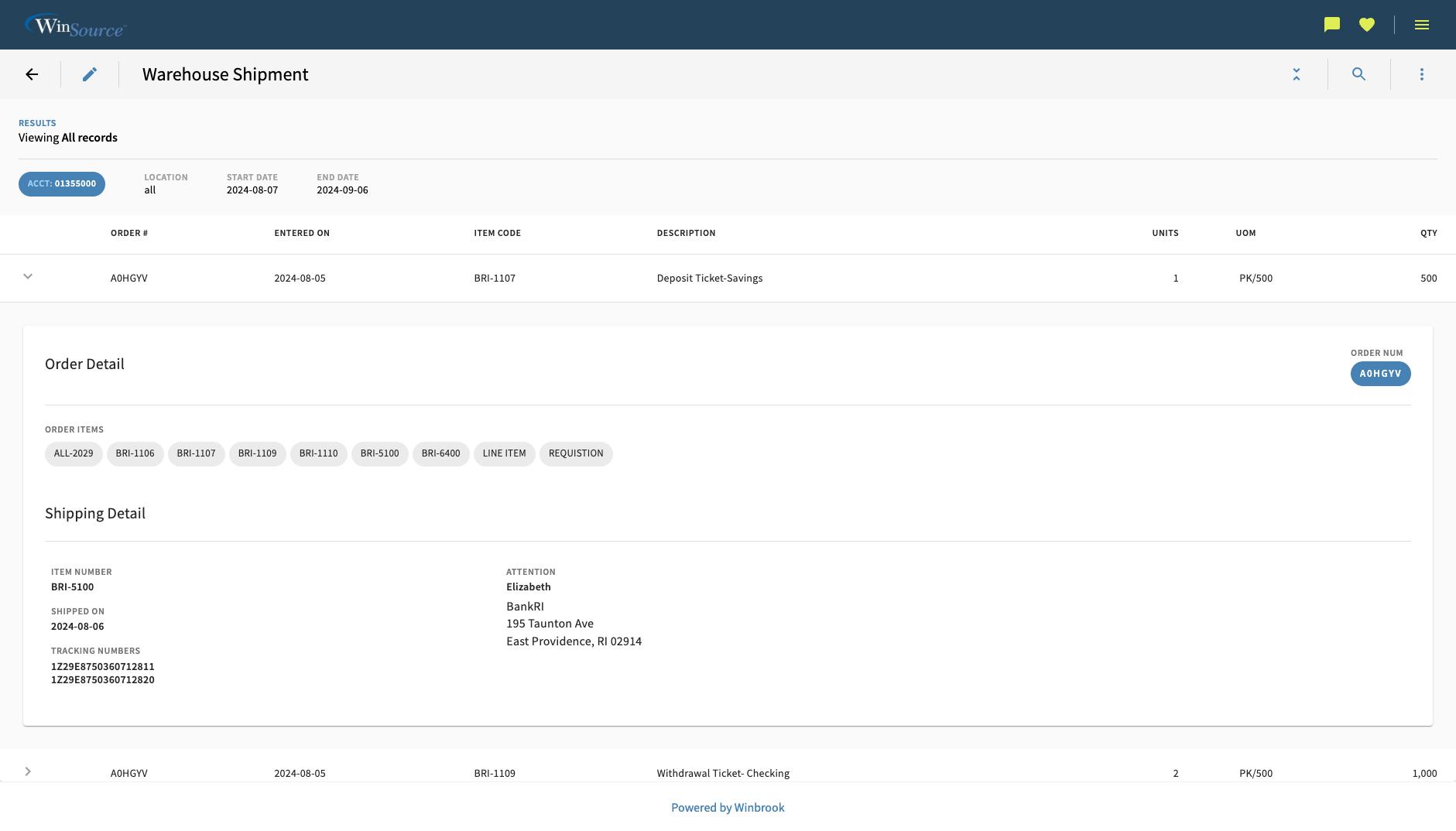
Expanded row with custom, nested data
On-the-fly Report Configuration
Our reporting management tool gives admins full control to customize reports and features on the fly. Instantly preview live tables with mock data, fine-tune custom cell types, and export clean JSON configurations ready for system integration.
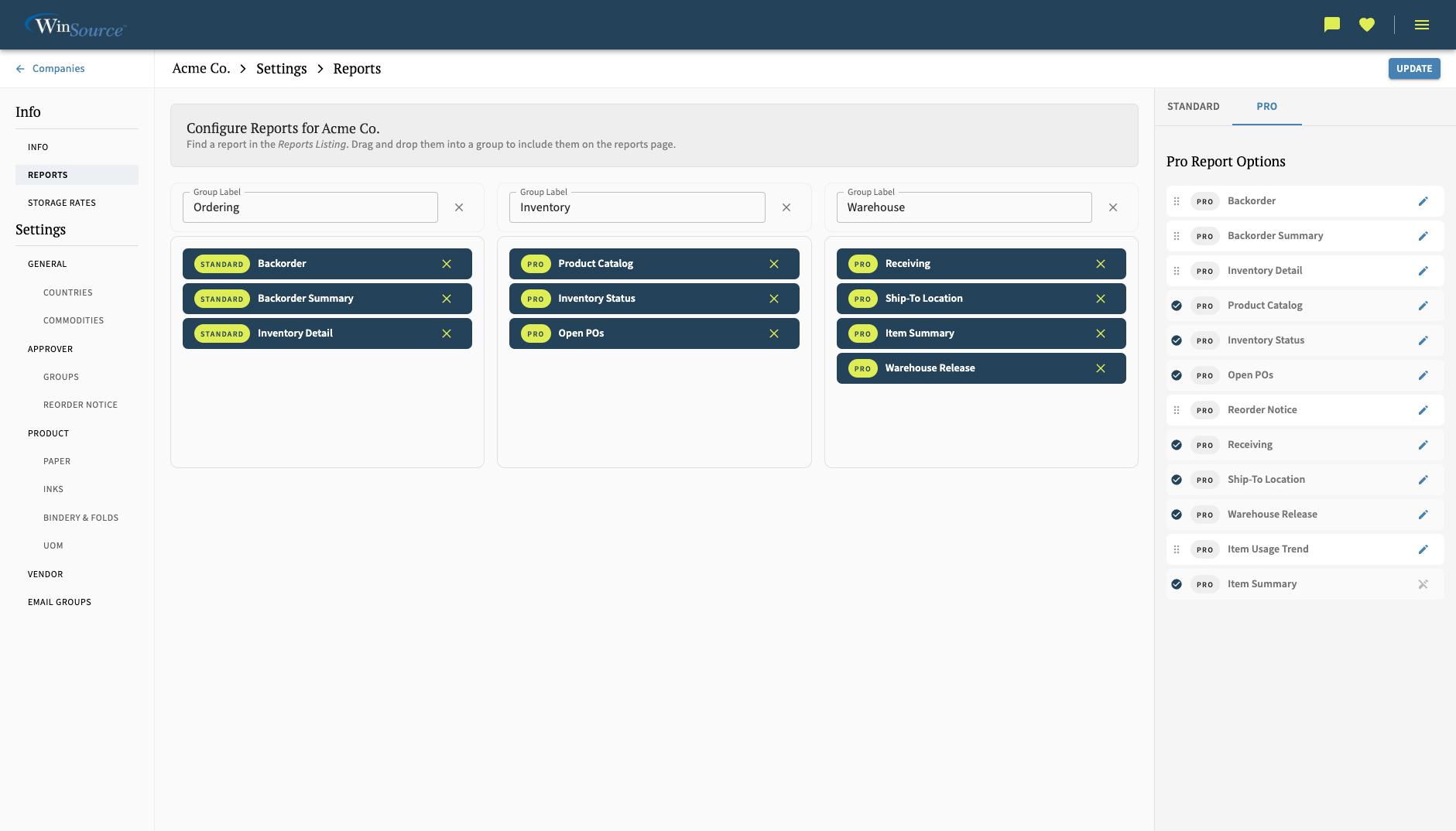
Create a report collection for each company. Mix Pro and Standard reports together.
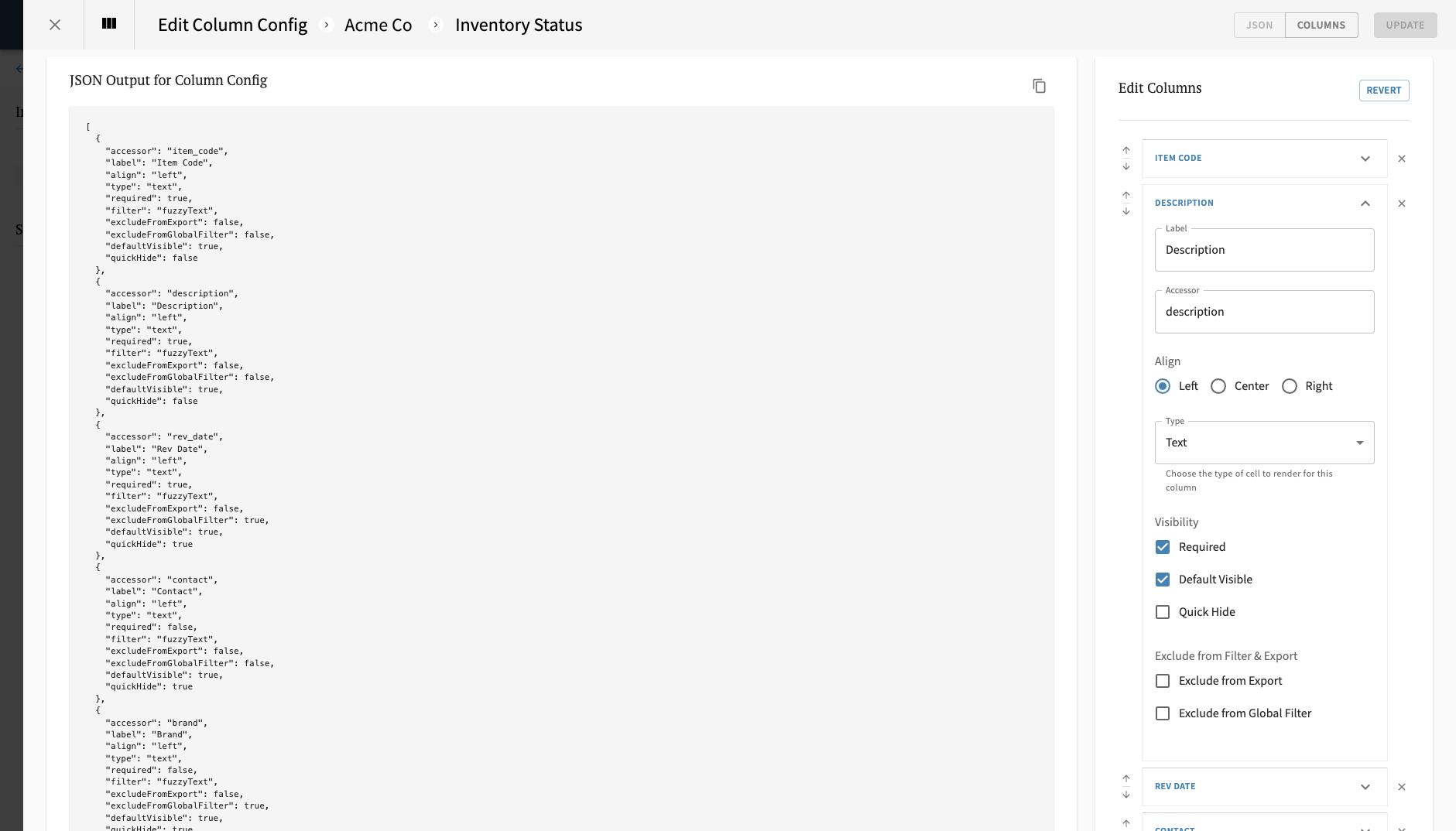
Build custom reports on-the-fly by customizing columns types, order, and other settings.
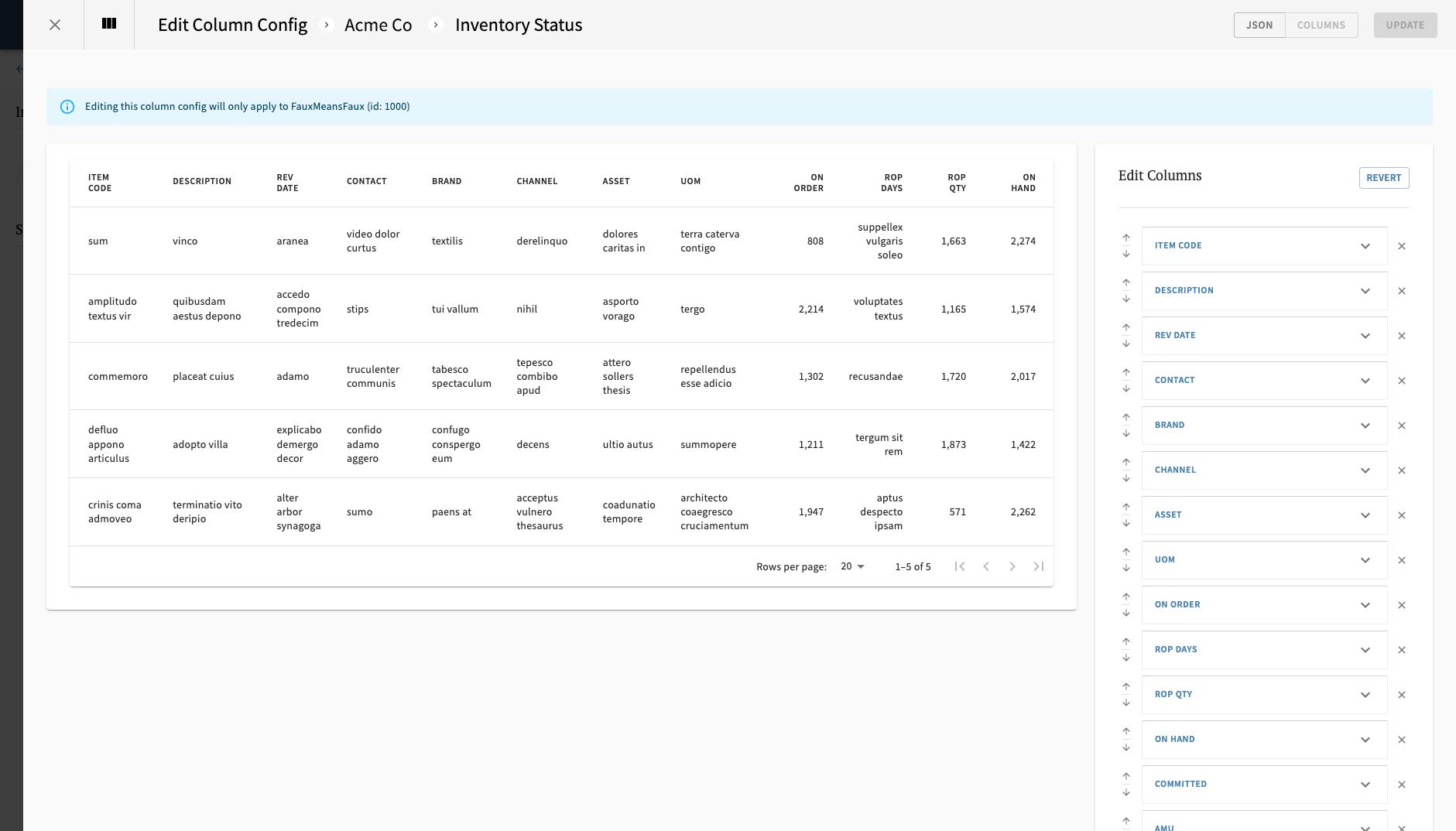
The tool provides a live preview using custom cell renderers based on column type with mock data to populate the table.
Items & Orders System
Manage items and orders with clarity and control. Designed for multi-session workflows that can span periods of time, the design keeps users oriented with smart wayfinding that highlights progress and next steps so it's seamless when returning to the task.
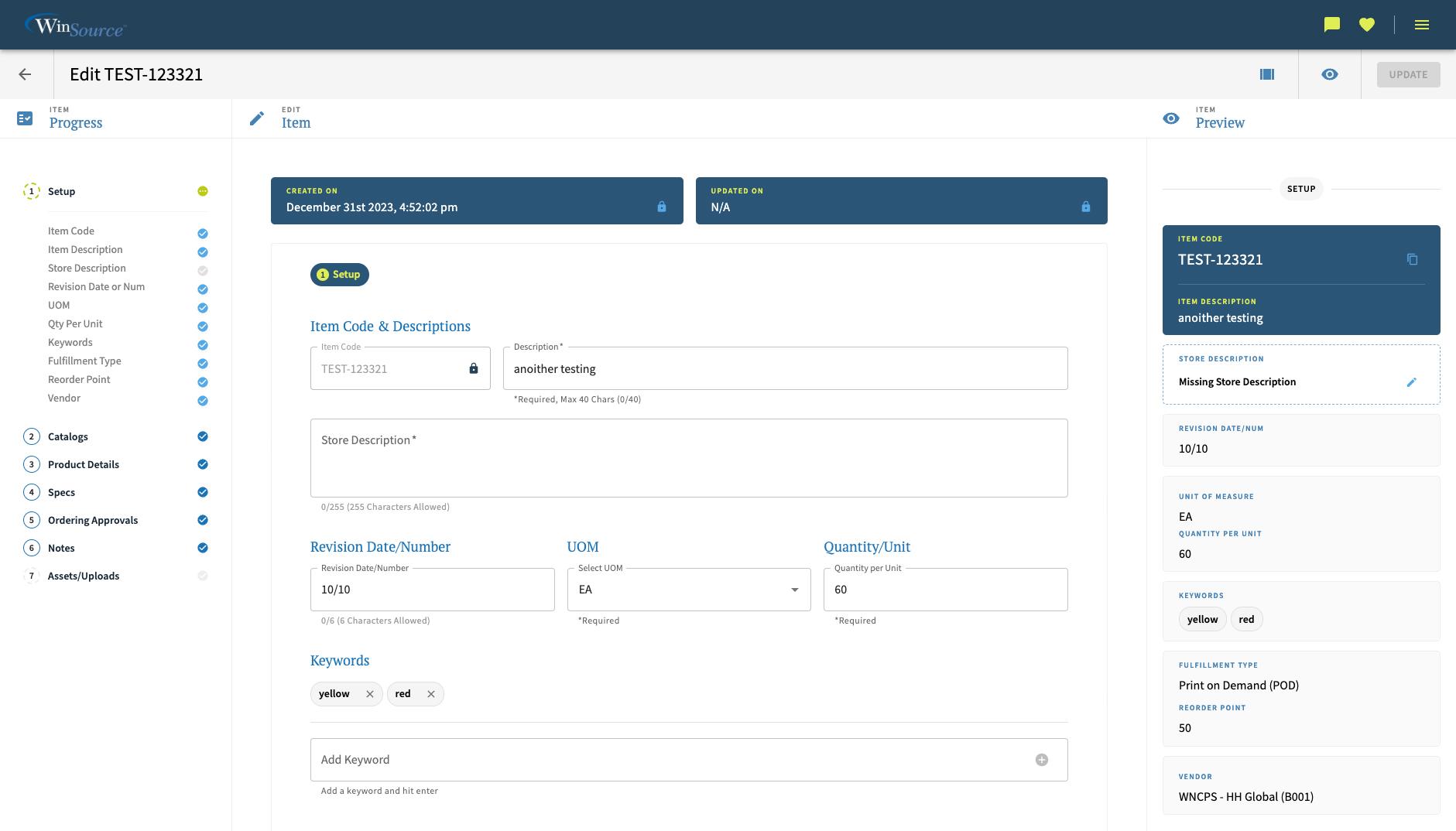
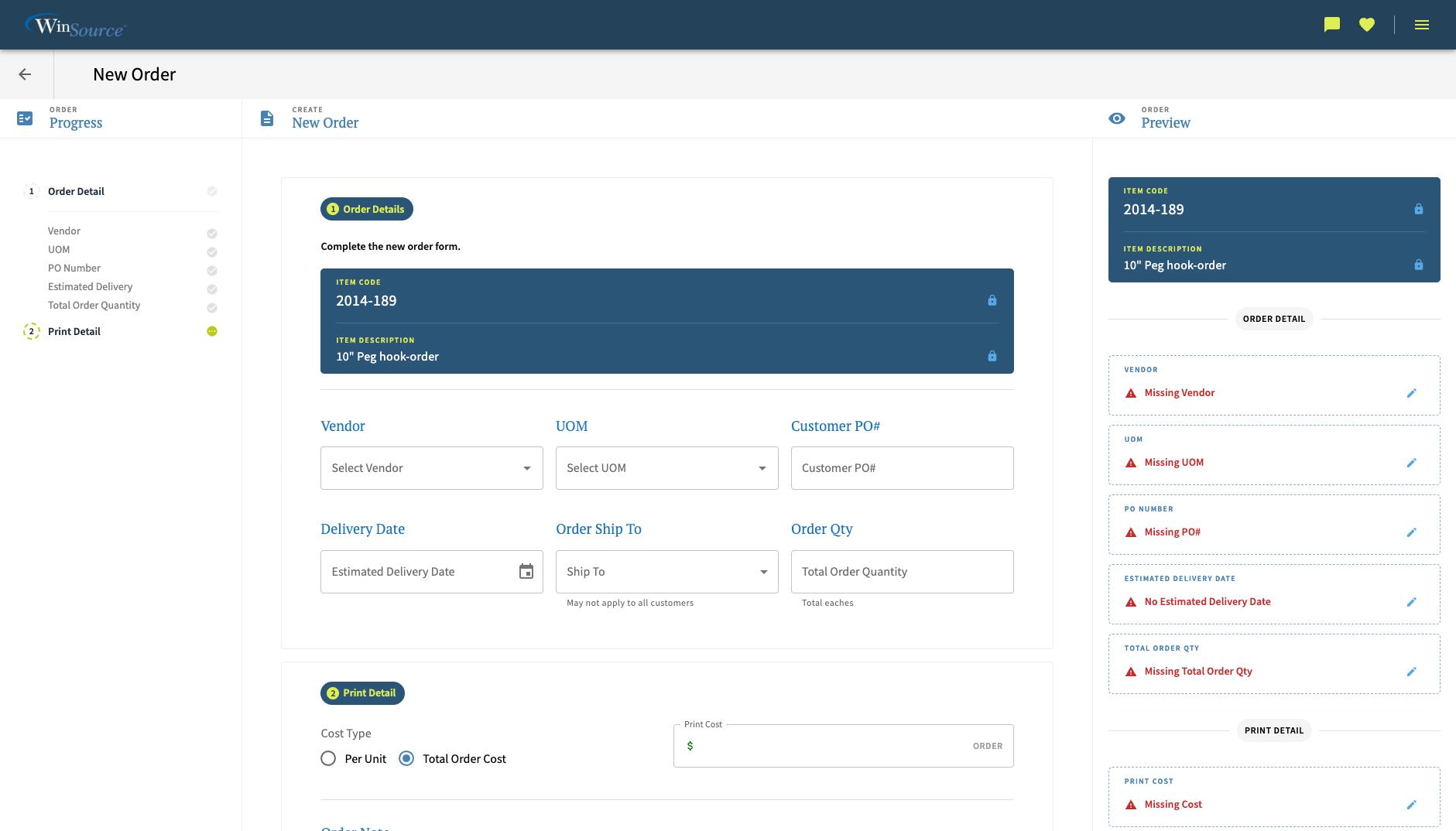
Order view with missing data feedback
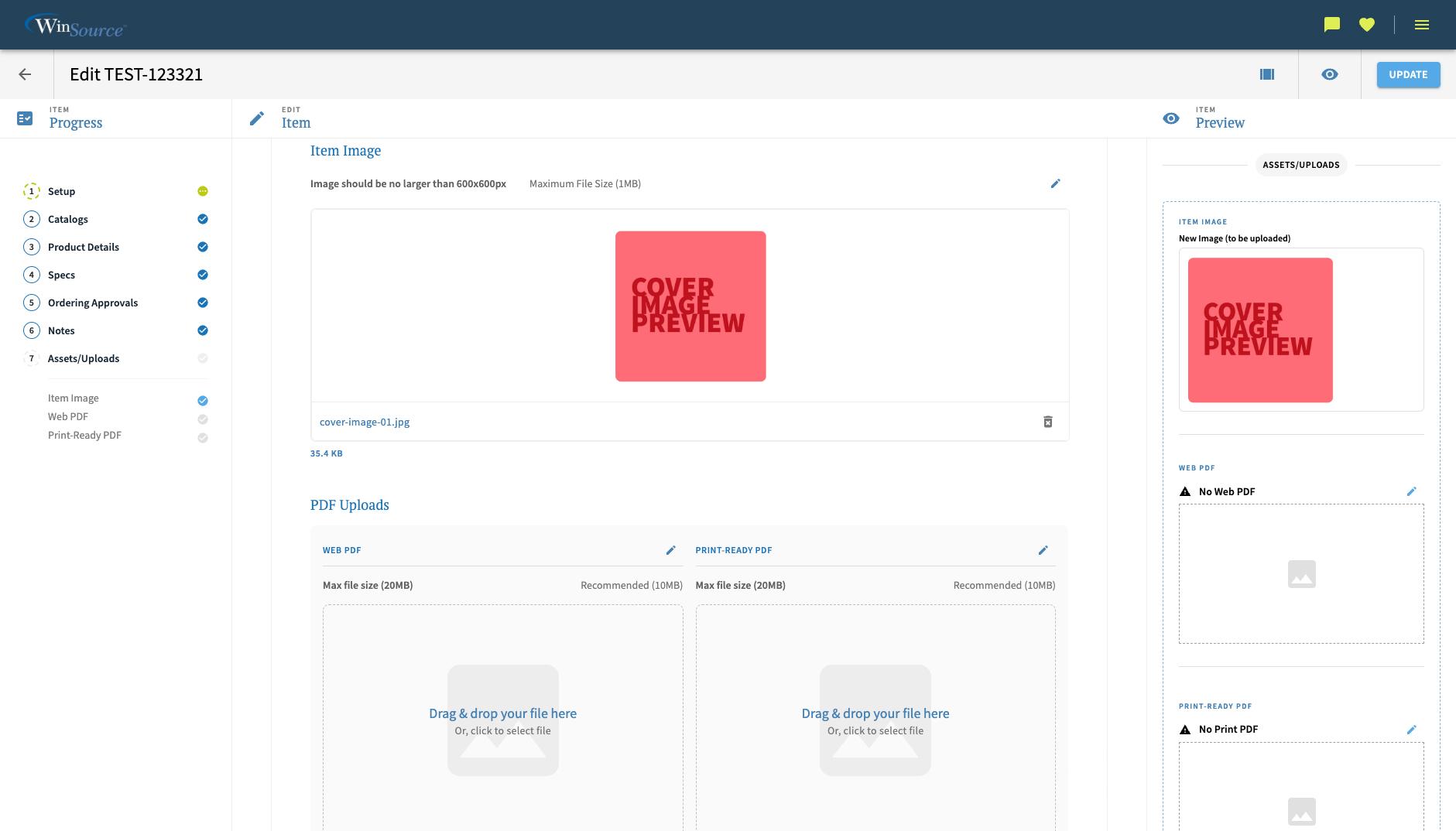
Item management with asset upload and previews
Company Settings & Management Utility
Designed and built a centralized settings feature for smoother workflows, fewer errors, and faster operations. Company settings unifies internal and customer configurations in one place and connects seamlessly with the reporting platform to simplify administration, streamline daily work, and ensure greater accuracy across the organization.
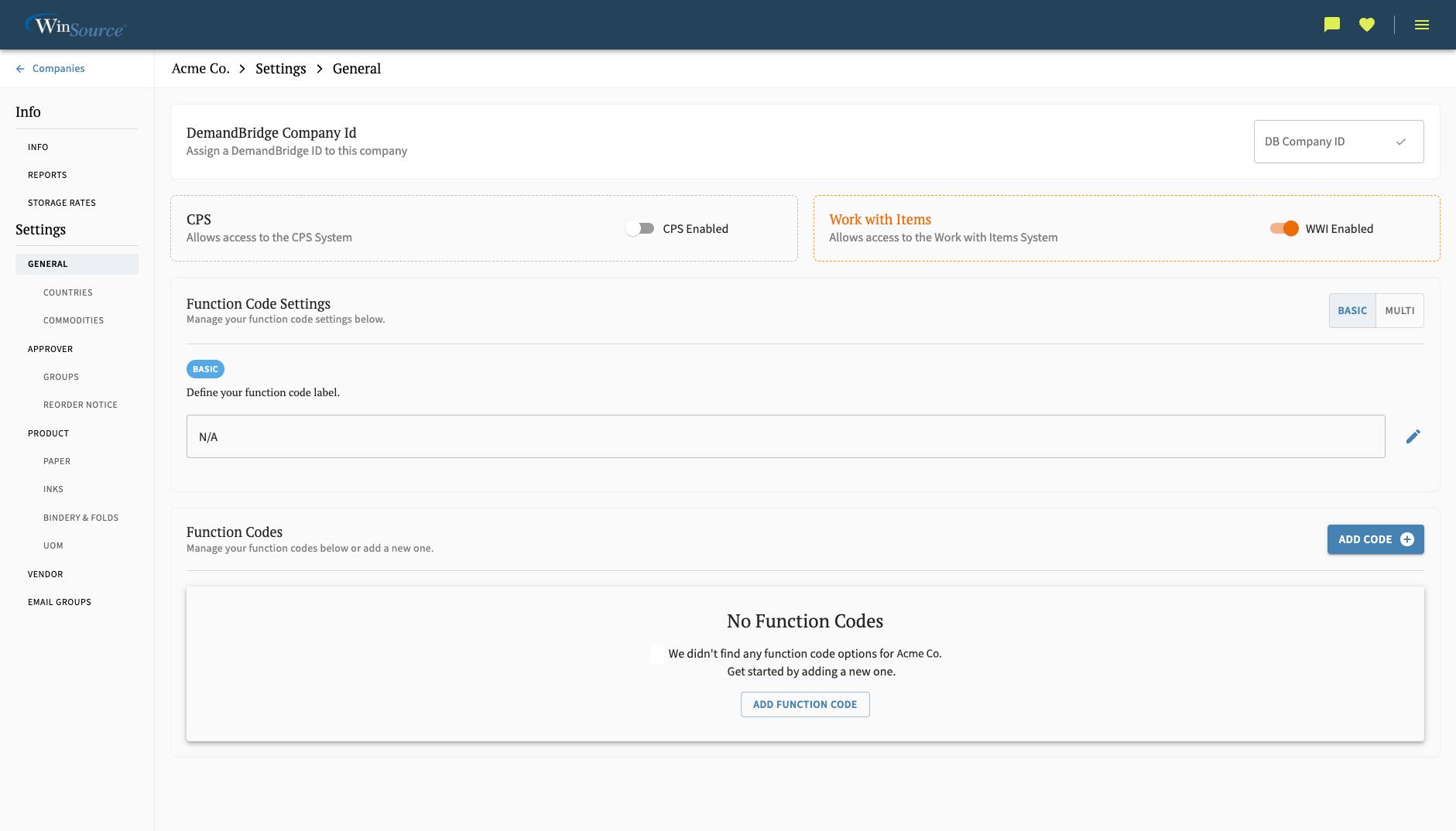
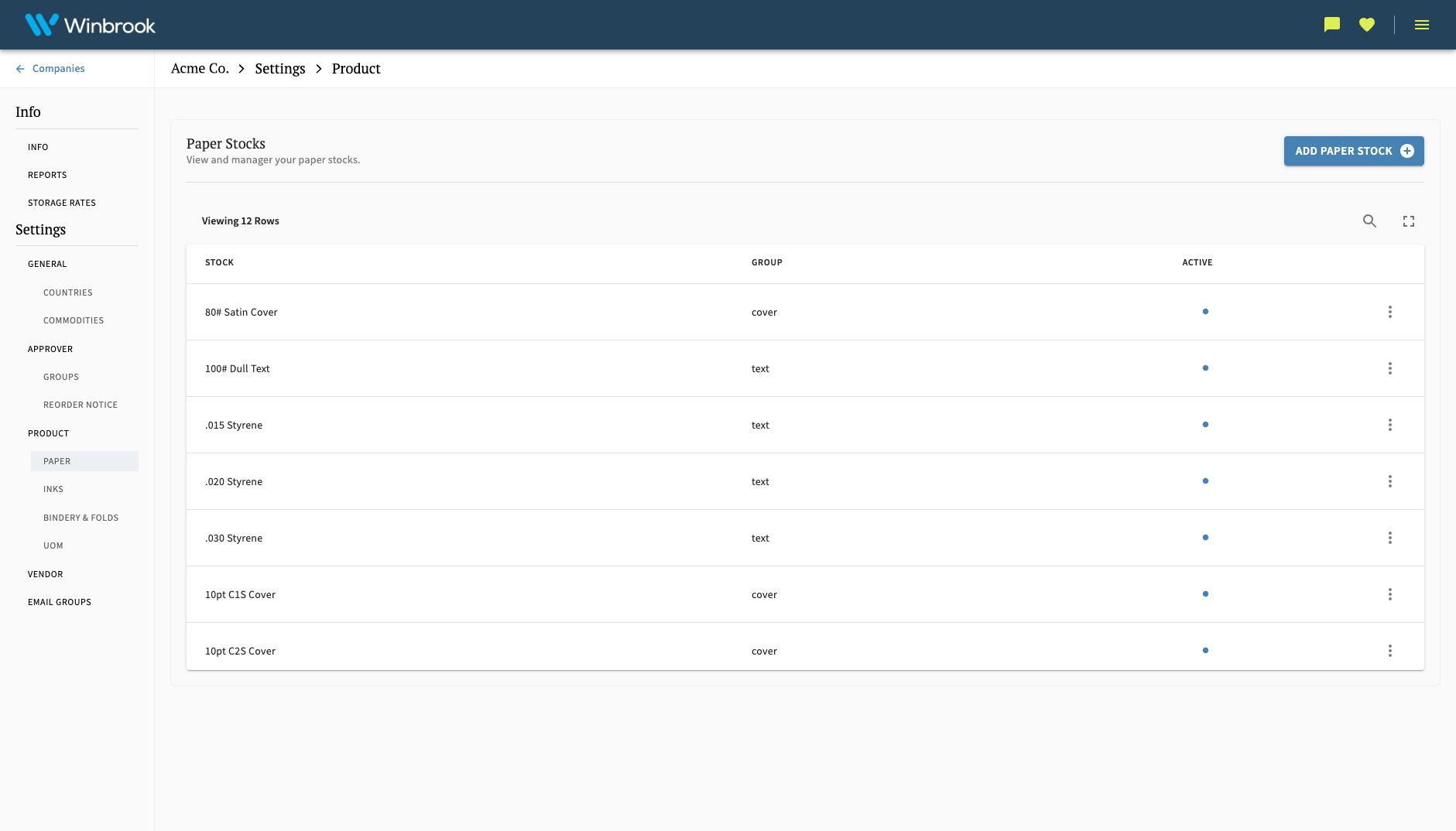
Settings - Managing Paper Stocks
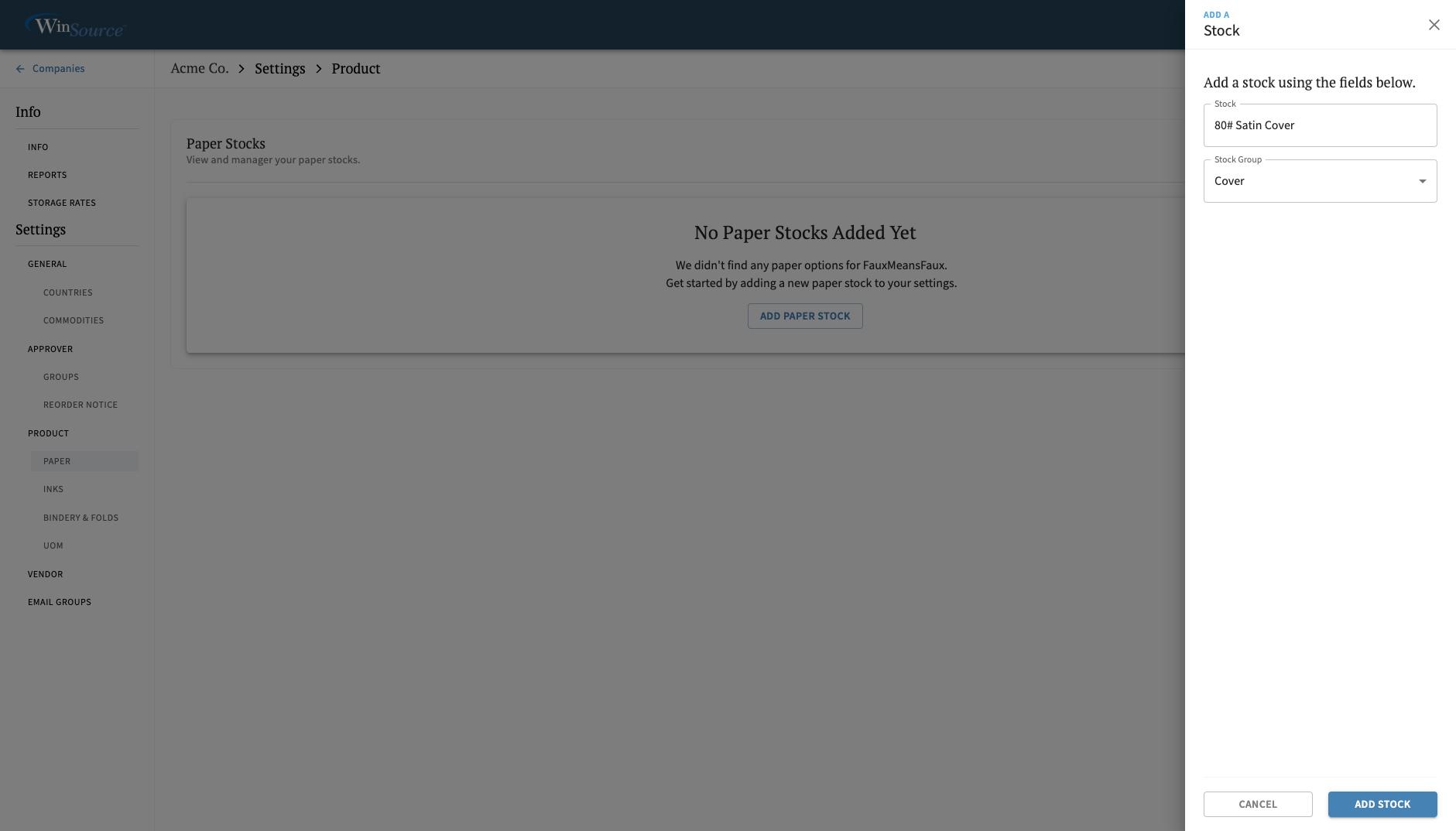
Settings - Adding a Paper Stock (Action View)
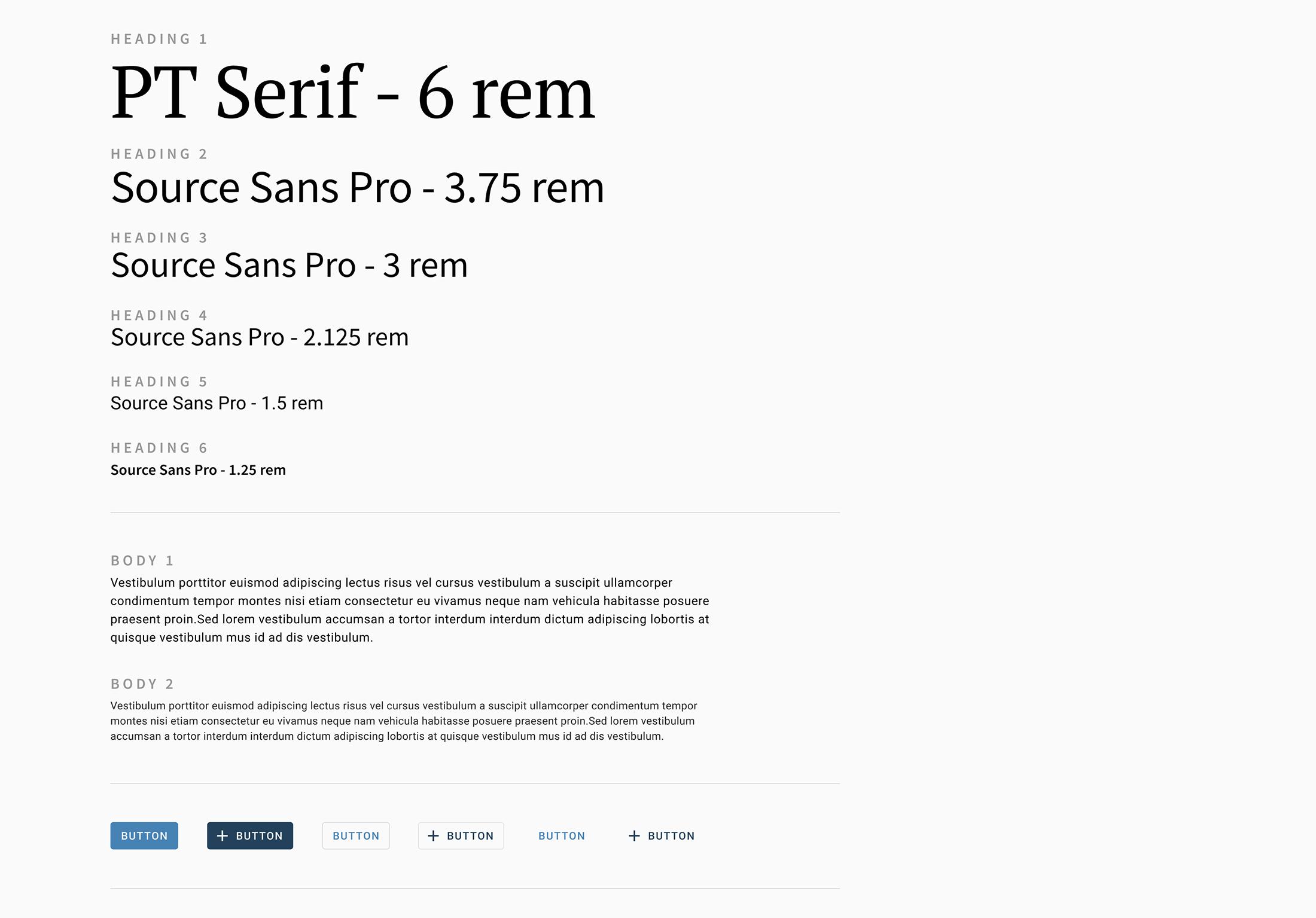
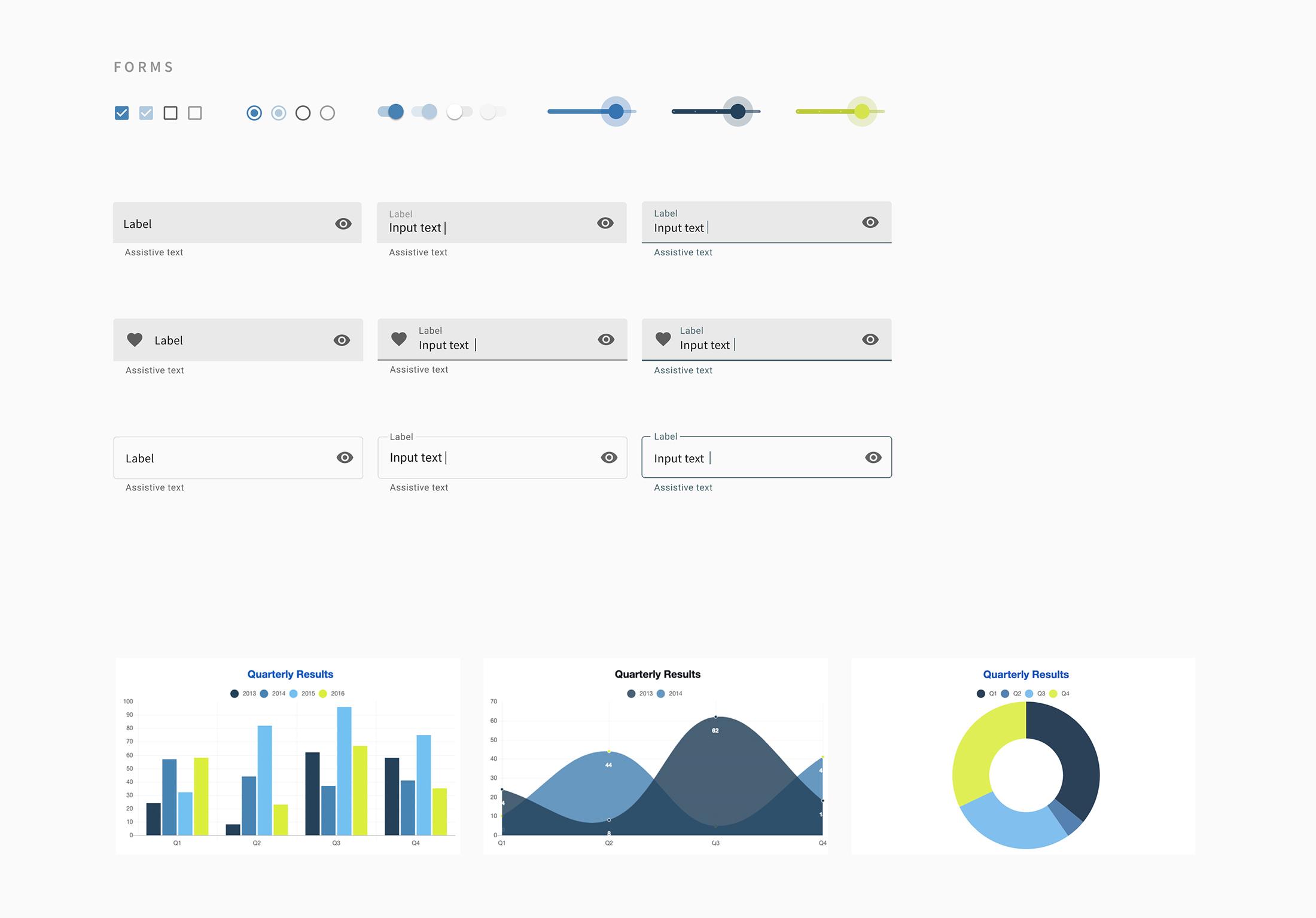
Design Foundation (Basic UI)
Created a lightweight, scalable design foundation to keep the product visually consistent and cohesive during a fast-moving, iterative development cycle.
UX Documentation
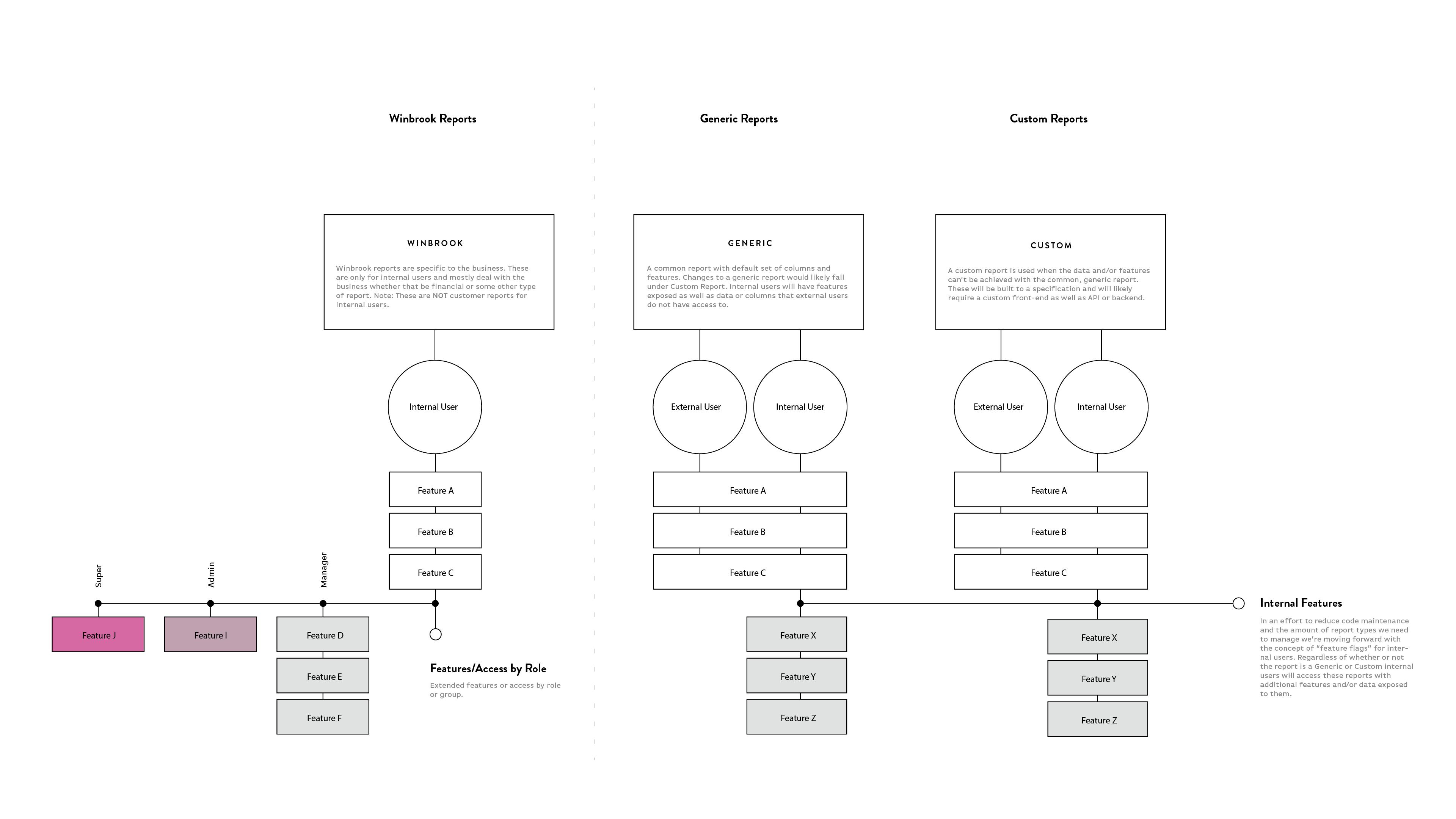
This is one example of the many UX documents created during the UX phase for Winbrook to define flows and functionality. The diagram specifically documents the access system used to manage feature visibility across internal and external reports, bringing clarity and alignment to how permissions and rules shape the reporting experience and related systems.
Next Up.
Studio Luz
Thoughtful architecture firm that prioritizes social responsibility and sustainable construction with a high level of craft and attention to detail.
View Project